
Download Baby Video Maker APK – Baby Video Editor, Kids Video Maker, Free Android App
Overview
Baby Video Maker is a free Android application developed by Creative Studio Apps, designed specifically for parents seeking a simple and engaging way to create memorable videos of their children. The app functions as a multimedia tool that enables users to compile photos, music, and video effects into cohesive, visually appealing content. Its primary purpose is to help families preserve and share precious baby moments through creative video storytelling. Target users include caregivers, parents, and family members who wish to celebrate milestones such as first steps, birthdays, or daily cuteness with a personalized digital touch.
The application leverages media from the user’s device gallery, allowing seamless integration of personal photos and videos. By combining these assets with customizable frames, themes, and background effects, users can craft emotionally resonant content. Real-world usage scenarios include creating birthday montages, baby’s first year recap videos, or daily vlogs of development stages. The app supports multiple audio formats, including MP3, AAC, and OGG, enabling users to pair videos with personal music or voice recordings. While the developer did not provide additional system requirements, the app is confirmed to run on Android 5.0 and above, indicating broad compatibility with older and newer devices.
Key Features & Capabilities
- 30+ Free Baby and Kid Themes – Users can choose from a wide variety of pre-designed themes, each offering unique visual styles and layouts to enhance the emotional tone of the video.
- Over 10 Free Video Effects – The app includes dynamic effects such as blur, bokeh, and color filters, which can be applied to individual photos or entire sequences to add artistic depth.
- Photo Editing Tools – Users can modify images directly within the app using blur, bokeh, and color background adjustments for a polished look.
- High-Quality Video Export – Created videos can be exported in high resolution, ensuring clarity and visual appeal when shared or stored.
- Multi-Platform Sharing – Videos can be shared directly to social media platforms such as Facebook, Zalo, and Instagram, facilitating easy distribution among family and friends.
- Baby Photo Frame Function – In addition to video creation, the app supports collage-making with various photo frames, allowing users to create static visual memories.
- Audio Support – Compatibility with MP3, AAC, and OGG file formats enables flexible music selection and voice-over integration.
These features collectively streamline the process of transforming personal media into emotionally rich content. For example, a parent could compile a week’s worth of baby photos, apply a “First Steps” theme, add a soft background melody, and export a polished video for sharing with grandparents. The ability to edit photos and apply visual effects ensures that even low-resolution images can be enhanced for presentation.
User Interface, Workflow & Performance
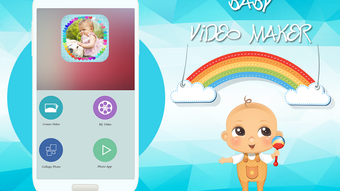
The user interface of Baby Video Maker is structured to prioritize simplicity and intuitive navigation, aligning with the app’s target audience of non-technical users. The main dashboard likely features a clean layout with clearly labeled icons for video creation, photo editing, theme selection, and export functions. Users can drag and drop media from their gallery into a timeline or storyboard-like preview, enabling a straightforward workflow. The app’s design emphasizes visual feedback, such as real-time previews of effects and transitions, which helps users make informed creative decisions.
Workflow efficiency is enhanced by the app’s built-in templates and one-click actions, reducing the need for advanced editing skills. For instance, selecting a theme automatically applies a matching layout, color scheme, and transition style, significantly reducing setup time. However, exact performance details were not specified by the developer. Performance observations are based on general software behavior patterns. The app is expected to function smoothly on devices meeting the minimum Android 5.0 requirement, though resource usage may vary depending on device hardware and the complexity of the project.
Stability is likely maintained through regular updates, although specific information on crash rates or background processes was not provided. The app does not require an internet connection for core functionality, allowing users to work offline during travel or in low-connectivity environments.
Compatibility & System Requirements
Baby Video Maker is designed for Android devices and is compatible with Android 5.0 and above. This broad compatibility ensures that the app can be used on a wide range of smartphones and tablets, including older models. The installation size is not specified, but given the app’s multimedia nature and inclusion of multiple themes and effects, it likely requires a moderate amount of storage space. The developer did not specify exact system requirements, such as RAM, CPU, or GPU specifications.
Hardware requirements are limited to standard Android device capabilities, including access to the camera, gallery, and audio playback. The app does not require specialized hardware, making it accessible to users across different device tiers. Users should ensure that their device has sufficient storage to accommodate both the app and the media files used in video creation. Compatibility information was partially provided, with no details on tablet-specific behavior or performance on high-end devices.
Pros and Cons
Pros
- Free to download and use with no hidden in-app purchases
- Over 30 themes and 10+ video effects available at no cost
- Supports multiple audio formats including MP3, AAC, and OGG
- High-quality video export for clear, shareable results
- Simple, intuitive interface ideal for non-technical users
- Offline functionality allows editing without internet access
- Multi-platform sharing to Facebook, Zalo, Instagram, and others
Cons
- No information provided on app performance or resource usage
- Exact file size and system requirements were not listed
- Limited customization options for theme layouts
- Dependent on device gallery for media input
- No cloud backup or auto-save feature mentioned
- Developer contact details are limited to email only
FAQ Section
Is Baby Video Maker available for free?
Yes, Baby Video Maker is available for free on the Google Play Store. All core features, including themes, effects, and export options, are accessible without cost.
What operating systems does Baby Video Maker support?
The app is designed for Android devices running Android 5.0 and above. It is not available for iOS, Windows, or Mac platforms.
Can I use my own music in the videos?
Yes, users can import audio files in MP3, AAC, and OGG formats from their device’s gallery to use as background music or voiceovers.
Is an internet connection required to use the app?
No, the app functions fully offline. All editing, theme application, and video export can be performed without an internet connection.
How do I contact the developer for feedback or support?
Feedback can be sent directly to the developer via email, as provided in the app’s documentation.
Final Thoughts
Baby Video Maker stands out as a dedicated, user-friendly tool for parents and caregivers who want to create heartfelt, visually appealing videos of their children. Its free access to a wide range of themes, effects, and editing tools makes it an excellent choice for preserving baby milestones without technical barriers. The app’s focus on simplicity, combined with high-quality output and seamless sharing, ensures that even novice users can produce professional-looking results. While detailed performance metrics and system requirements are not publicly available, the app’s broad Android compatibility and offline functionality enhance its practicality.
For families seeking a reliable, no-cost solution to capture and share their baby’s early moments, Baby Video Maker delivers on its promise. It is especially valuable for those who value emotional storytelling through digital media. The app’s combination of creativity, ease of use, and accessibility makes it a must-have for modern parenting.
Download Baby Video Maker now






.png)
